AI coding agent platform
AI coding agents that keep working after you walk away
Dispatch from GitHub Issues, PRs, the web app, or your terminal. If a run crashes, it picks back up. If you started it in CI, you can pull it into your terminal. You pick the model. We handle the billing.
What makes Naiad Agent different
CI failures don't wipe the run
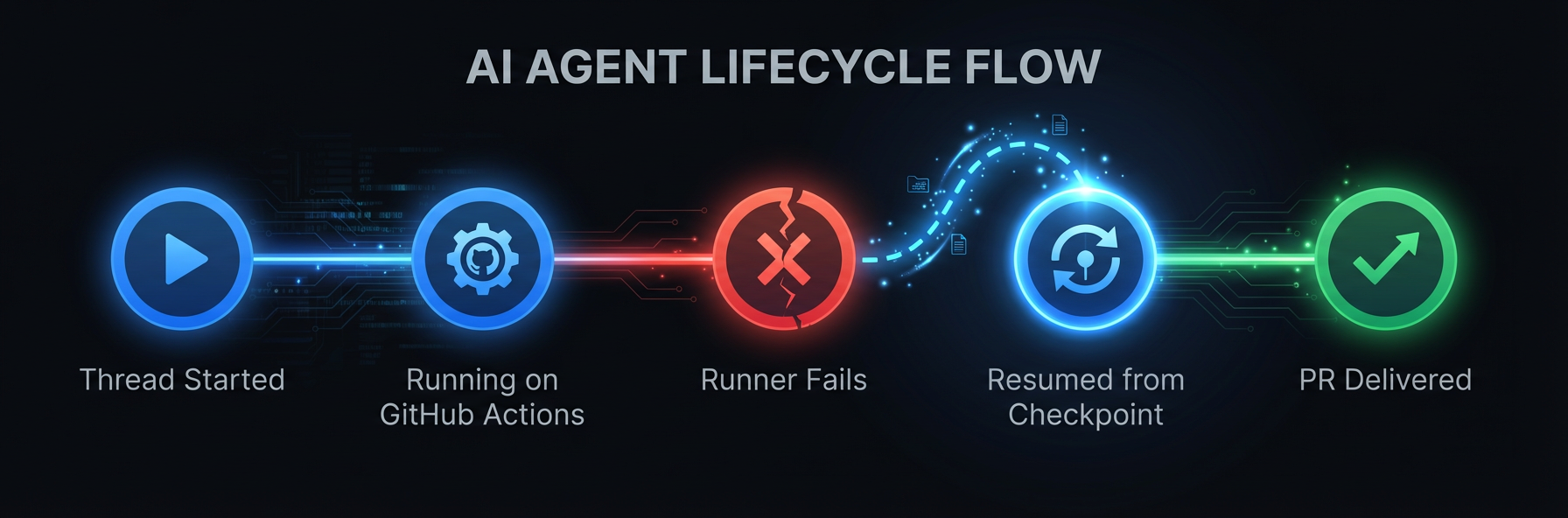
GitHub Actions runners disappear when a job ends. Naiad Agent checkpoints the git state and the conversation, so if the runner gets killed, the next run continues where the last one stopped.
One thread across GitHub, web, and CLI
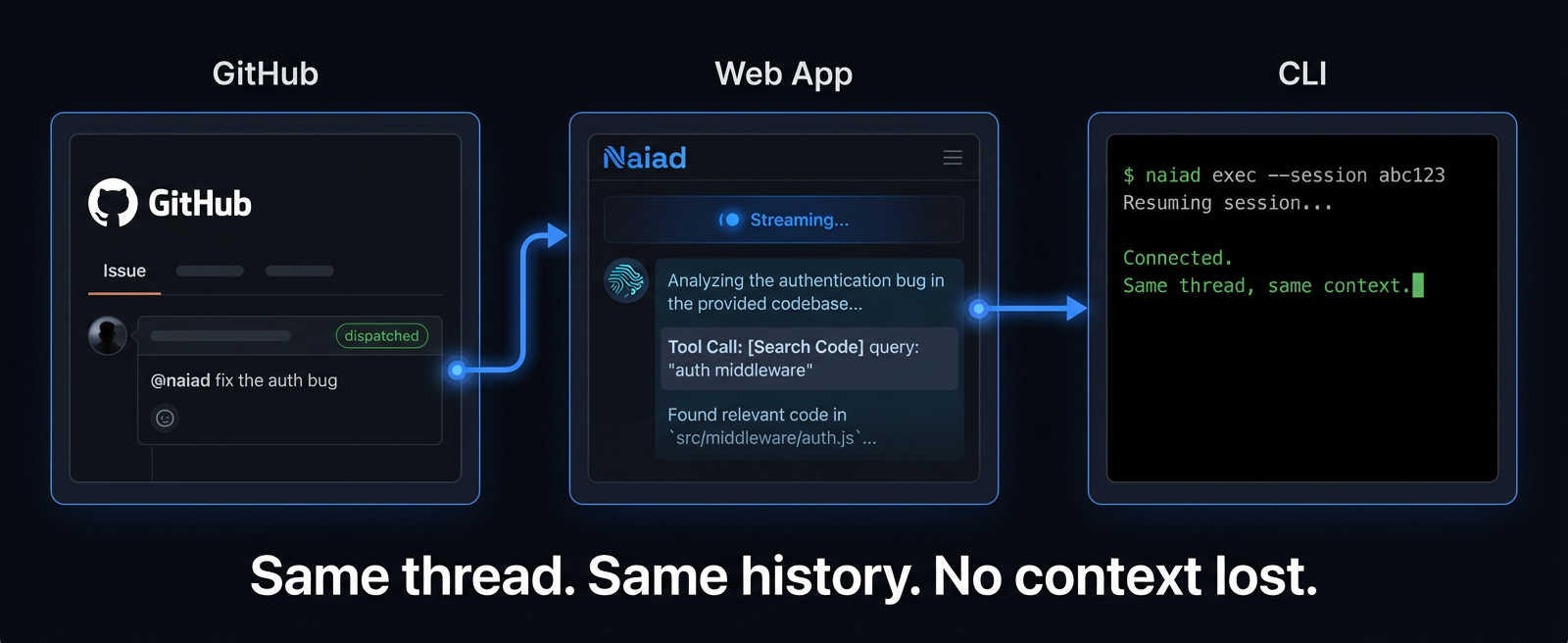
Start from a GitHub Issue. Watch it run in the web app. Pull the session into your terminal when you want to drive. It's all the same thread, so nothing gets repeated and nothing gets lost.
You pick the model
Every dispatch lets you choose which model to use. We add new ones as they come out. Your session history and workflow don't care which model ran them.
How it works
Connect
Install the Naiad GitHub App, or download the CLI
Dispatch
Comment @naiad-bot on a GitHub Issue, run naiad exec 'fix the auth bug' from your terminal, or start a task in the web app
Agent runs
It runs in GitHub Actions if you dispatched from an Issue, or right in your terminal if you used the CLI
If it fails, it resumes
Runner dies? The checkpoint is already saved. Next run starts from there, not from zero.
Ship
You get commits, a PR, and a status update on the Issue
Your IDE agent stops when you do
Local AI tools are great when you're sitting there. But some tasks you just want to hand off and check on later. That needs something that runs without your laptop open.
CI runners lose everything
Most headless agents die with the runner that started them. One timeout, one OOM, and you're back to square one with no record of what happened.
No visibility, no spend control
When everyone on the team uses their own local tool, nobody knows what anyone spent or what the agent actually did. Good luck getting a handle on costs.
Resilience
Runners crash. The work doesn't.
Every session gets checkpointed: the git state, the conversation, the tool history. When a GitHub Actions runner times out or gets OOM-killed, the next run loads the checkpoint and keeps going. You don't re-run anything.
Observability
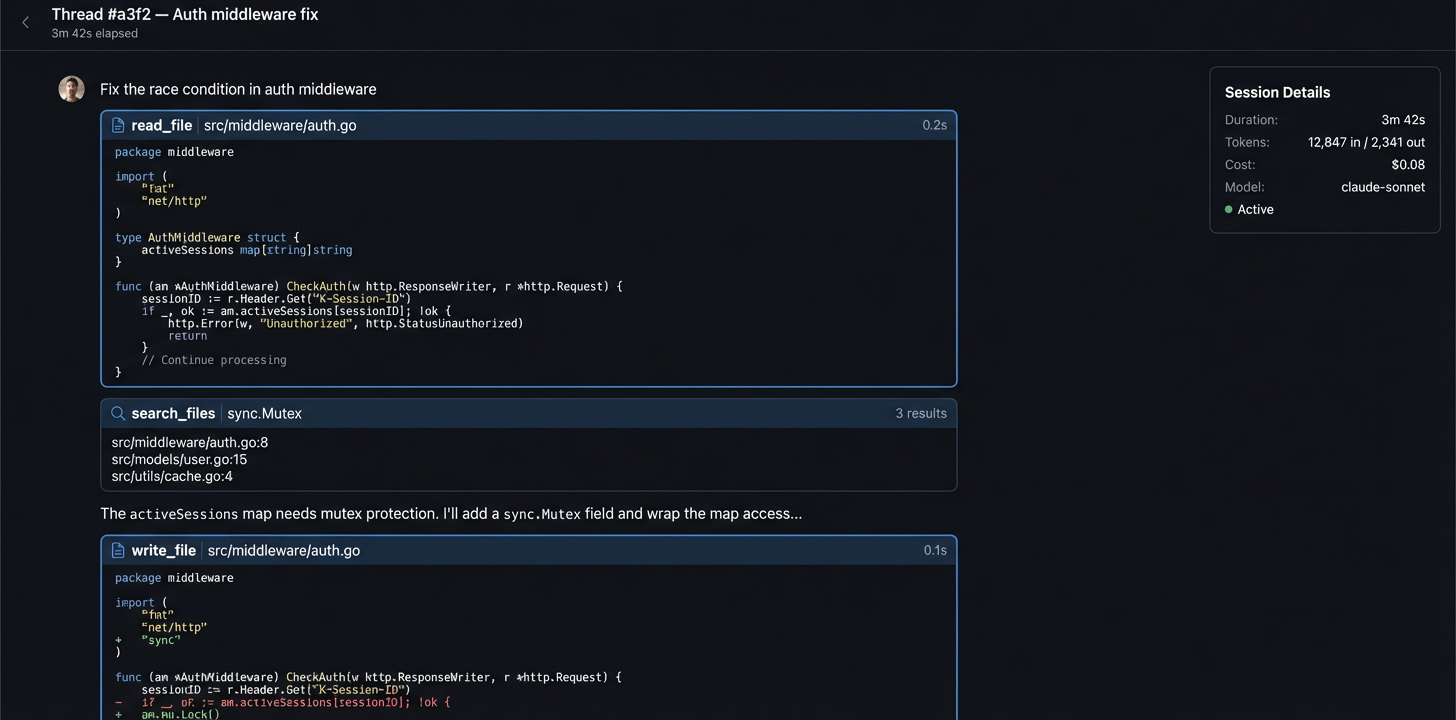
You can see what it's doing
Tool calls, file reads, diffs, and messages stream to the web app in real time. After the run, the whole session is there to go back through. If the agent did something weird on step 40, you can find it.
Continuity
Start it in GitHub, finish it locally
Say you kick off a task from a GitHub Issue. The agent runs in Actions. You watch it
in the web app. Halfway through, you want to take over. Run naiad exec --session <id> and you're in the same session, same git state, same conversation. The agent already
knows what happened.
How Naiad Agent compares
How is Naiad Agent different from Cursor, Windsurf, or Claude Code?
Those are great for working alongside you in your editor. Naiad Agent is for the stuff you want to hand off entirely: it runs in CI, you watch from the browser, and if something crashes it recovers on its own. Most people use both. IDE tool when you're pairing, Naiad Agent when you're not.
How is Naiad Agent different from Codex or Devin?
You can watch every tool call as it happens, set a cost cap on any thread, and pull a session into your local terminal whenever you want. You also get to pick your model. Pricing is per-token, so you only pay for what actually runs.
What happens if a GitHub Actions runner dies mid-run?
Naiad Agent checkpoints the git state and conversation as it goes. If the runner dies, the next run picks up from the last checkpoint. You don't have to re-trigger anything manually.
Do I need my own OpenAI or Anthropic API keys?
No. All inference routes through NaiadAI servers. You buy credits and we handle model-provider billing.
Can I start a task in GitHub and continue it locally?
Yes. The session doesn't care where it runs. Start from a GitHub Issue, then run naiad exec --session <id> locally and you're in the same thread with the full history.
What models are available?
We support Claude, GPT, Gemini, and others. Pricing is per-token and varies by model. You can see what's available and what it costs inside the app.
You buy credits, you use credits. No per-seat fees. Start with $5 free. View pricing →